

Galaxy AI is here

Introducing Galaxy AI

What is Galaxy AI?
Galaxy devices come equipped with a variety of AI features designed to enhance your everyday experience.
Galaxy AI leverages on-device artificial intelligence built into Galaxy smartphones, Galaxy Tab, and Galaxy Buds to deliver a more intuitive, efficient, and personalised experience every time you interact with your device, empowering you to do more across daily life, creative projects, communication, and productivity.

How to use the Galaxy AI features


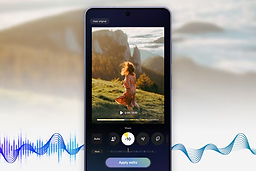
Audio Eraser
Audio eraser is an editing tool that reduces or removes unwanted background sounds from videos, such as wind, crowd noise, and ambient noise. It preserves important sounds like voices and music while improving the overall audio quality of the video. You can use this feature to create clearer, more focused videos on your Galaxy device.


Instant Slow-mo
Replay memories and slow down any part of your video with Instant slow-mo. You will be able to create slow motion video clips with forward, reverse, and forward/reverse combination effects using this feature. Simply press and hold on any video in your Gallery, and it will switch to slow motion as you are watching it.

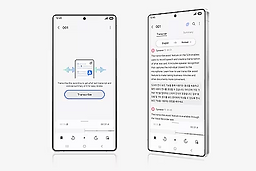

Generative wallpaper
Generates various wallpapers according to categories and keywords selected by the user.

Edit suggestions
Analyses the photos users take and provides editing options for how to improve the image.* Main Edit suggestions: Remaster, Erase reflections, Erase shadows, Remove moiré, Long exposure, Colorise, etc.

Now Nudge
Simplify your mobile experience with a bit of well-timed assistance. Now Nudge recognizes what's happening on your screen and provides relevant suggestions based on the context.

Call Screening
Call Screening filters calls from unknown numbers and displays a quick text preview of why they're calling, so you can decide whether to pick up or not. For spam and scams, it can just end the call for you.

Document Scan
Document Scan can detect documents and lets you capture them with your phone, and it can clean them up for you by removing unwanted distortions, corner folds, stray fingers and more.


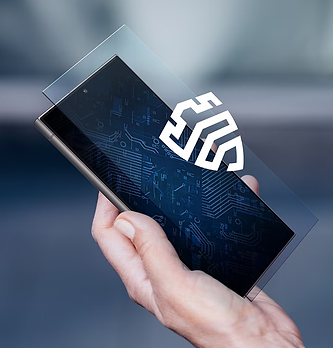
How Galaxy AI keeps your data secure
Enjoy peace of mind with Samsung's security, designed for the era of AI. We use multiple safeguards to ensure that your personal details stay personal.
Turn your device into a digital fortress
Rest assured when it comes to on-device protection for your Galaxy. Our Personal Data Engine gathers and processes your personal data safely. Then it encrypts that data and saves it onto your device with KEEP and Knox Vault, making it harder for anyone else to gain access.
Take control of your privacy settings
You can decide where your Galaxy AI data gets processed — either locally on device or out in the cloud. Go to your privacy settings and choose the option that gives you the most assurance, or switch back and forth depending on your needs.
Establish trust across your Galaxy
Your connected devices become safer when they look out for each other. Our Knox Matrix Trust Chain technology provides cross-platform security, allowing Galaxy devices to check on one another and isolate potential threats.